

For a complete guide to working with Subframe code, see the developer docs.
The canvas stays editable in export mode. You can insert elements and adjust the design without leaving the Export tab, and the inspected code updates to match.
Setting up agents and your codebase
Click Connect MCP in the Export tab to open Agents settings. You can also open it from your account menu. Use it to:- Connect Claude Code, Codex, or Cursor through the MCP server
- Set up Subframe in your codebase with the CLI
- Sync components into your codebase
Inspecting page code
Pages are screens built from components. After designing a page in Subframe, you can copy its React code and add application logic such as API calls, state, and routing in your codebase.- Open the page in Subframe
- Click the Export tab at the top of the Inspector panel
- Copy the React code
Inspecting elements
- Click the Export tab
- Click on element you want to inspect
- Use dropdown to select what code format you want:
- React + Tailwind code
- CSS code
- Properties
Syncing components
- Click the Export tab
- Copy the
npx @subframe/cli@latestcommand for syncing all components in the page or your selection
Exporting images
Export a page, a selected element, a component, or a snippet as an image or PDF.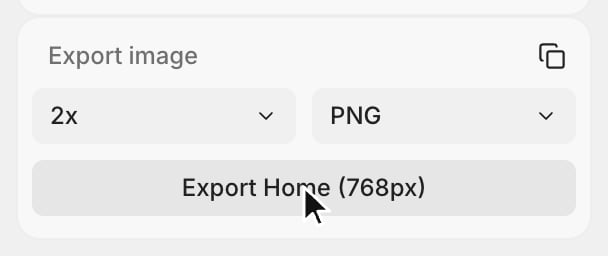
- Open the page, component, or snippet. To export part of a page, select the element.
- Click the Export tab
- Under Export image, choose a scale from 0.5x to 4x and a format: PNG, JPG, WebP, or PDF
- Click the Export button, which shows the name of what you’re exporting
export_image tool.
Implementing a page with Agent chat
Agent chat can implement a page directly in your connected codebase. Give it the page in any of these ways:- Open the page or its canvas, then ask the agent to implement what you are viewing
- Select the page before opening Agent chat
- Add the page to your message with an
@reference - Copy the page frame and paste it into Agent chat
Implementing a page with an external agent
If your team already uses an external agent connected through the MCP server, copy the link under Copy MCP link in the Export tab and paste it into your agent with your implementation request.For new workflows, use Agent chat to implement the page.