

Editing your theme
Navigate to the theme page:- Click Theme in the top navigation, or press Cmd + K and search “Theme”
- Browse five sections: Colors, Typography, Borders, Corners, Shadows
Theme presets
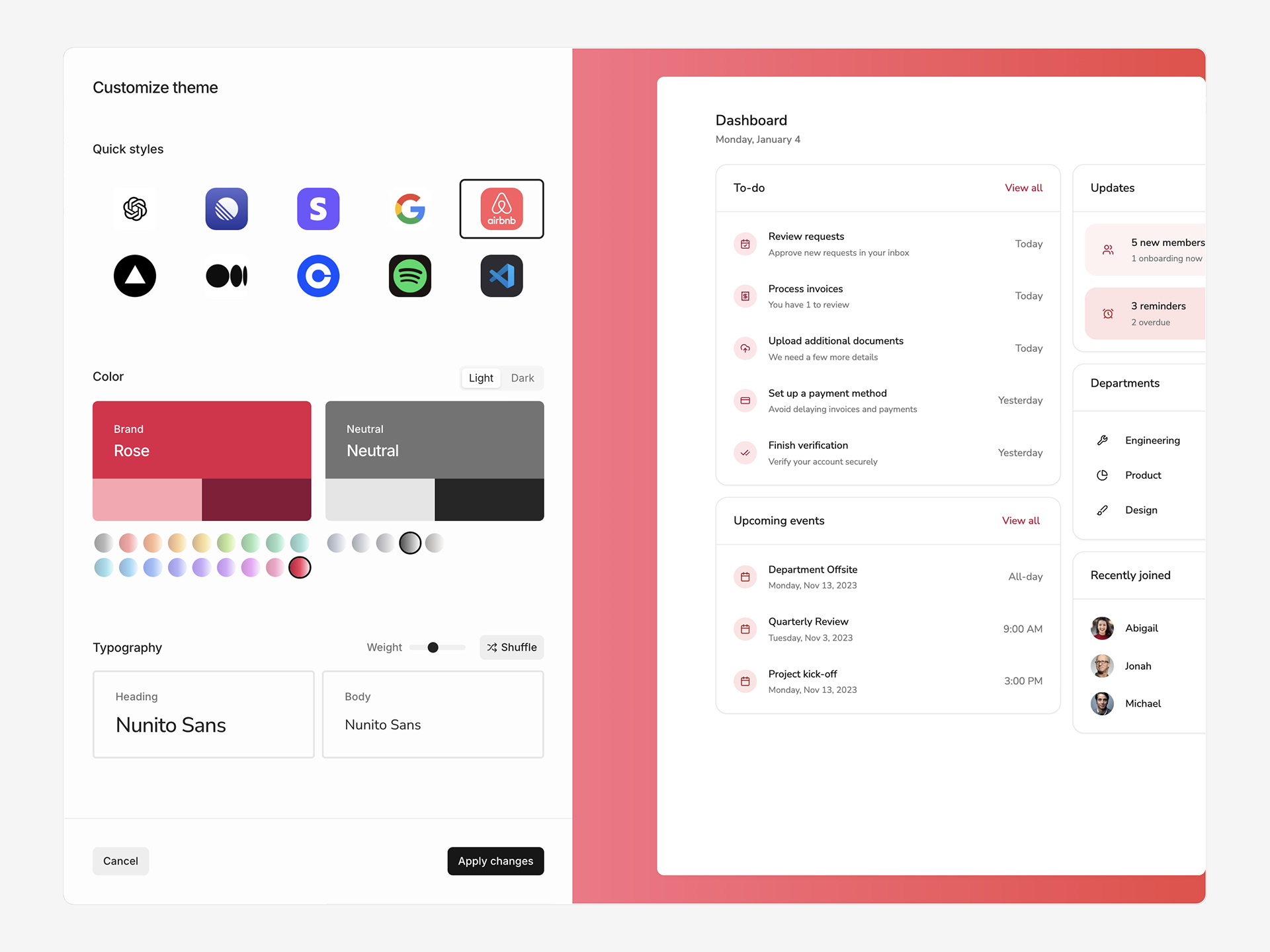
- Click Edit theme on the Theme page
- Browse 10 preset styles
- Customize brand colors, fonts, and corner radius
- Toggle between Light and Dark mode
Applying a theme preset will override values in your current theme.
Generate theme with Ask AI
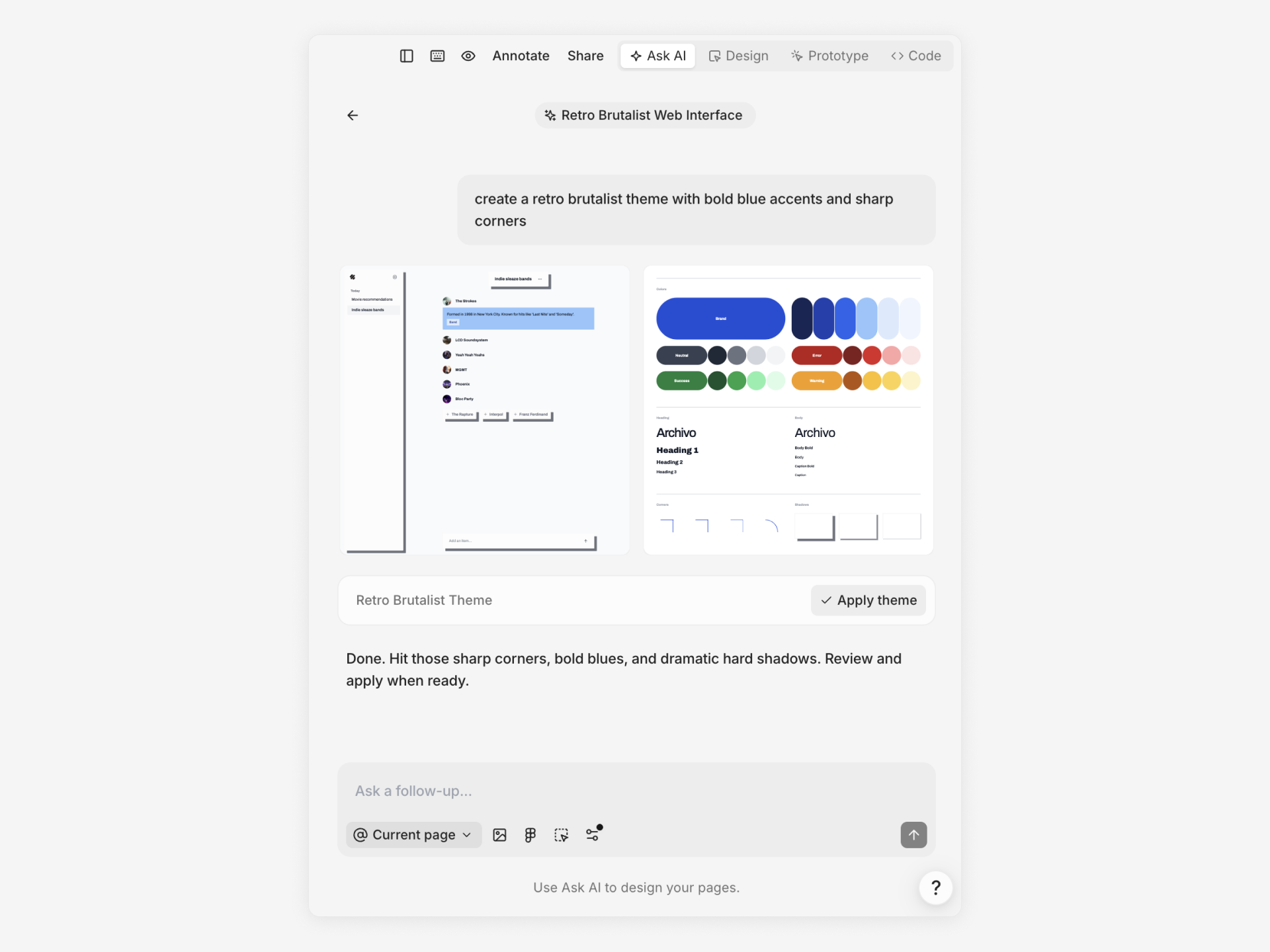
- Navigate to any page and open Ask AI
- Describe your desired theme: “Create a retro theme with muted colors and bold typography”
- Review the preview and click Apply to update your theme
AI theme generation affects your entire project – use for major theme changes.
Colors
Subframe organizes colors into color tokens and palettes.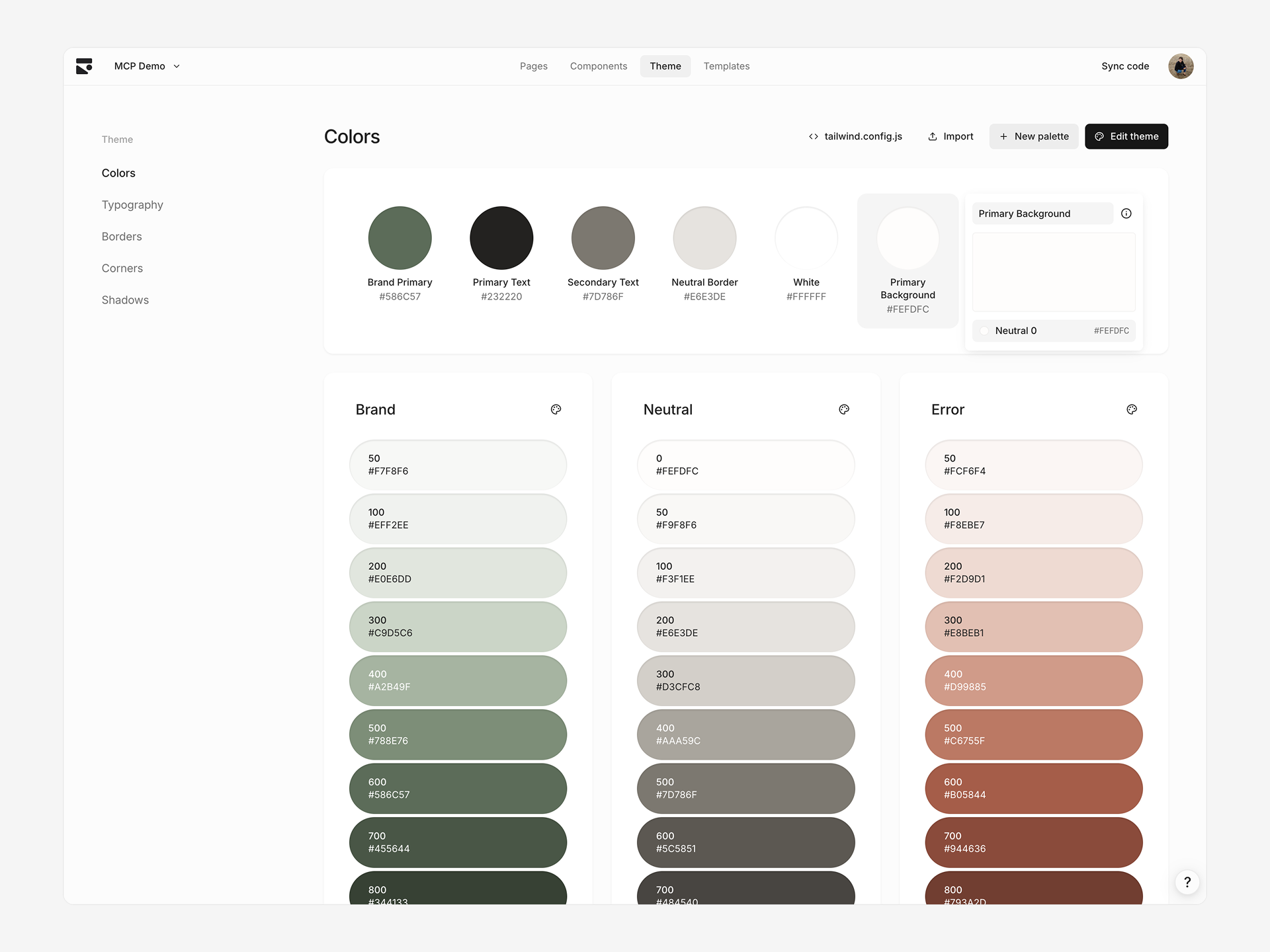
Color tokens vs. palettes
Individual color tokens define standalone colors:- Used for specific UI purposes: Brand Primary, Default Background, Neutral Border
- Can reference palette colors as aliases (e.g. Brand Primary → Brand 700)
- Custom tokens can be created and deleted
- Based on Tailwind color presets
- Cannot reference other tokens (no aliases)
- Default palettes: Brand, Neutral, Error, Success, Warning
Editing color tokens
Edit color tokens: Click any token to open color picker. Set direct color value or reference another token as alias. Edit palette colors: Click any palette color to open color picker. Palette presets: Click palette icon next to palette name. Select from Tailwind color presets to update all shades instantly.Creating color tokens
See Importing tokens to quickly add your own color tokens. New color token:- Click + in the color tokens section
- Name your token descriptively:
accent-primary,surface-elevated - Set color via picker or reference existing token
- Click New palette in Colors section
- Name your palette
- Add colors manually or
- Click + on palette row
- Name your color using the palette name as the prefix and the shade as the suffix
- Set color via picker
Deleting a token detaches its references and converts them to hex values.
Typography
Text tokens define typography styles with font family, size, weight, line height, and letter spacing.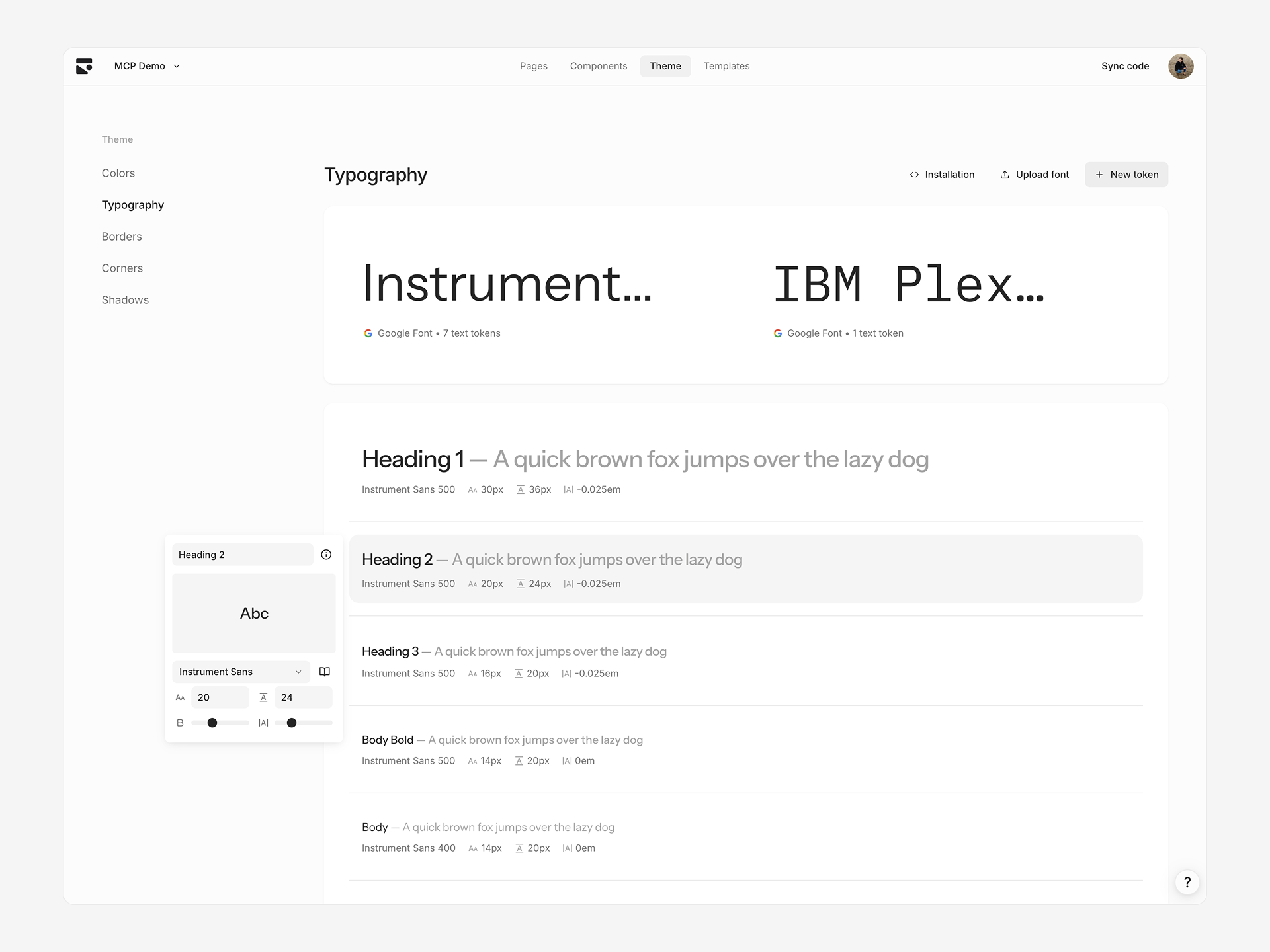
Editing text tokens
Click any text token to edit:- Font size — Pixel value
- Line height — Pixel value
- Font weight — Slider based on font’s supported weights
- Letter spacing — Slider from
-0.05emto0.05em
Creating text tokens
- Click + in Typography section
- Rename and adjust properties
Changing font families
Click the font name card at the top to select a different font family. This updates all tokens using that font. Choose from a curated list of Google Fonts or custom uploaded fonts.Adding custom fonts
Upgrade to the Pro plan to add custom fonts.
Borders
Border tokens define composite border styles consisting of color, width, and style.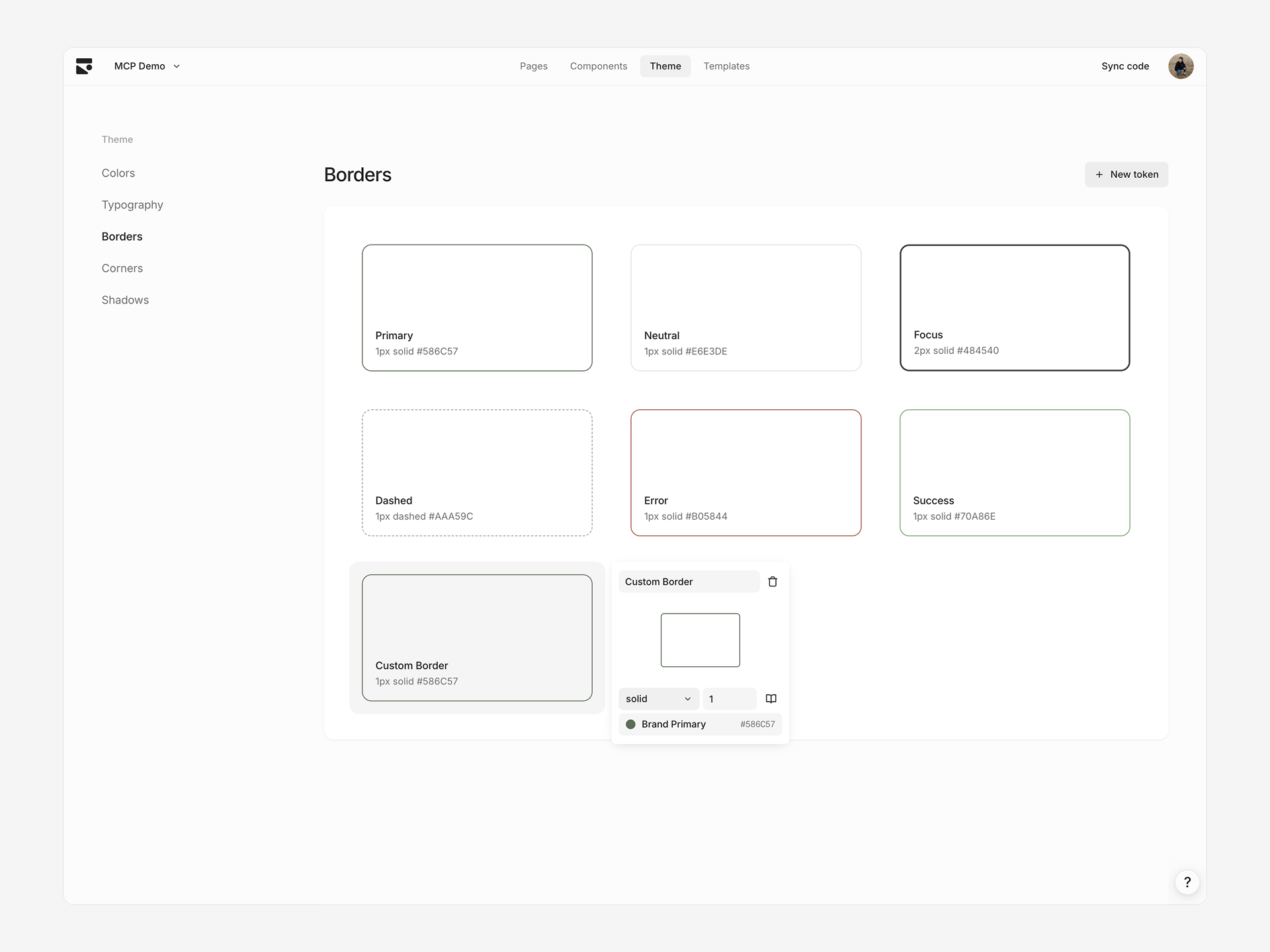
Editing border tokens
Click any border token to edit:- Border style — Solid or dashed
- Border size — Pixel width
- Border color — Color token reference or direct value
Creating border tokens
- Click + in Borders section
- Rename and adjust style, size, color
Corners
Corner tokens define border radius values for consistent rounded corners.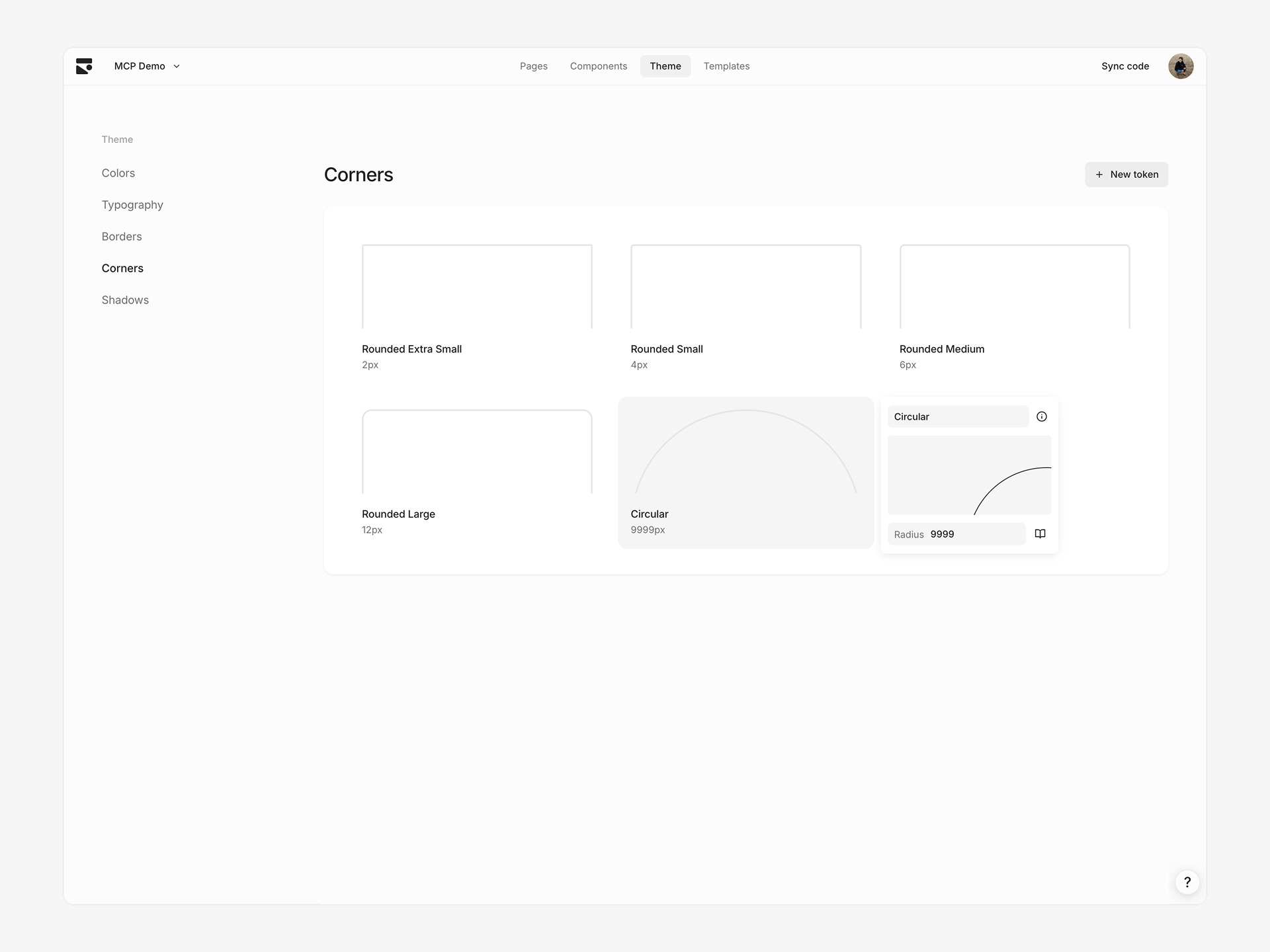
Editing corner tokens
Click any corner token to edit radius value in pixels.Creating corner tokens
- Click + in Corners section
- Set radius value
Shadows
Shadow tokens define box shadows with multiple layers for depth and elevation.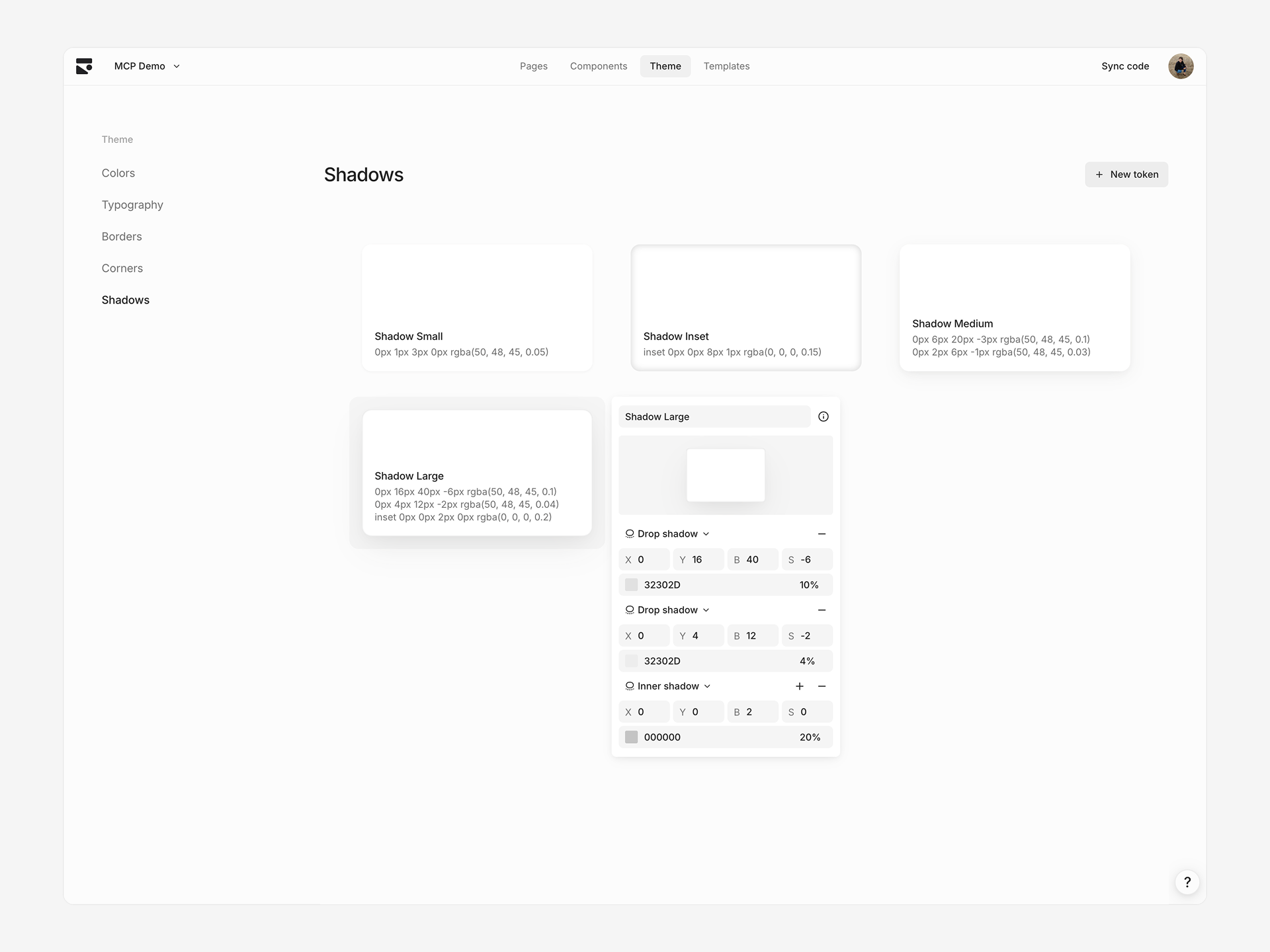
Editing shadow tokens
Click any shadow token to edit individual shadow layers. Each layer has:- Inset — Whether shadow appears inside element
- X/Y offset — Horizontal and vertical offset in pixels
- Blur radius — Blur amount in pixels
- Spread radius — Spread amount in pixels
- Color — Shadow color with opacity
Creating shadow tokens
- Click + in Shadows section
- Add, remove, or edit shadow layers
Syncing to code
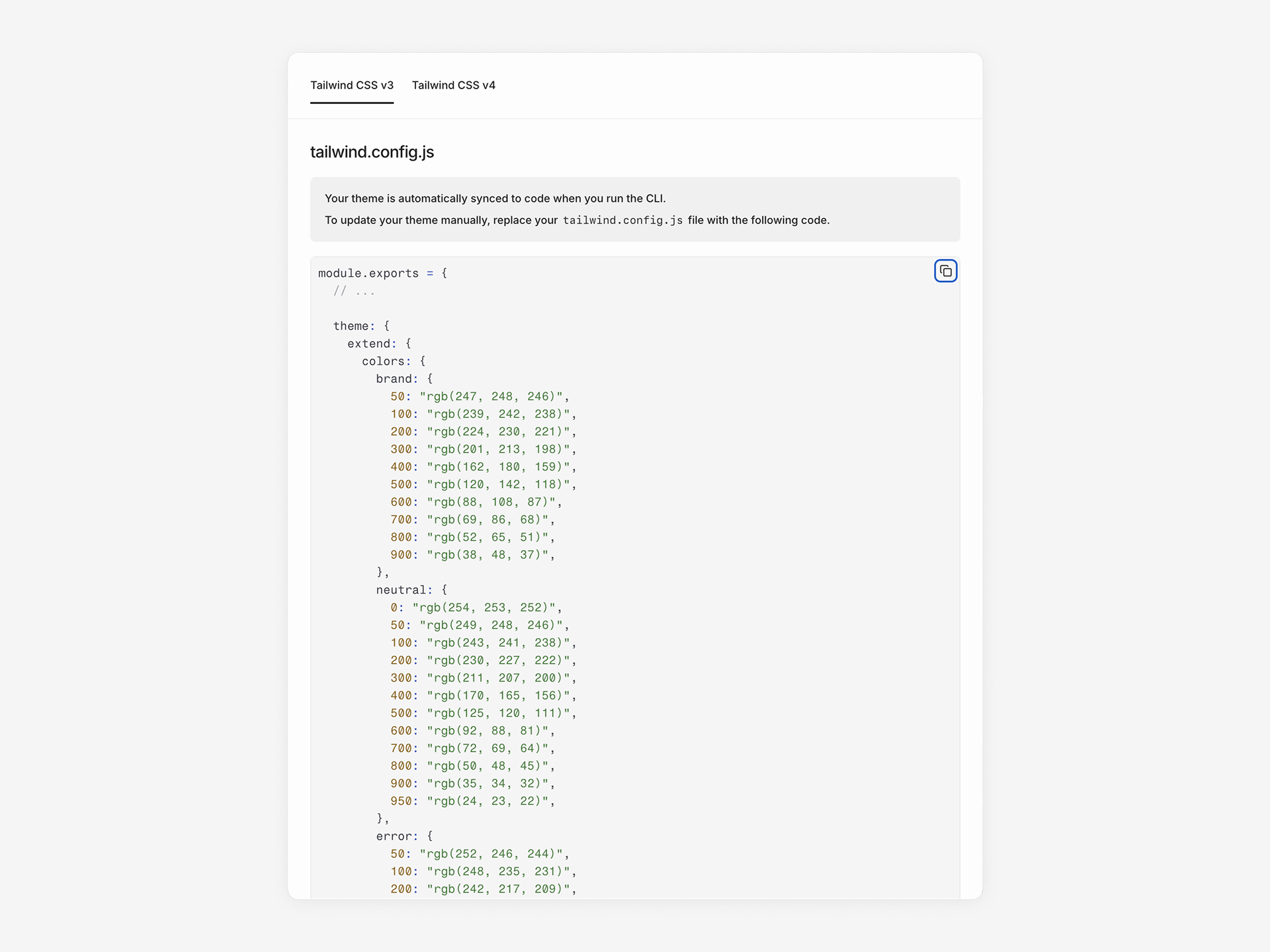
After updating your theme, sync changes to your codebase:tailwind.config.js with new token values. Components automatically use the updated theme.
View generated Tailwind config by clicking tailwind.config.js at top of Theme page, with support Tailwind v3 and v4 formats.
Limitations
Spacing not configurable — Spacing tokens (padding, gaps) use Tailwind defaults. Extendtailwind.config.js manually for custom spacing in your codebase.