> ## Documentation Index
> Fetch the complete documentation index at: https://docs.subframe.com/llms.txt
> Use this file to discover all available pages before exploring further.
# Pages
> Design individual pages in your project.
Pages are used to design screens of your product using your design system.
## Creating a page
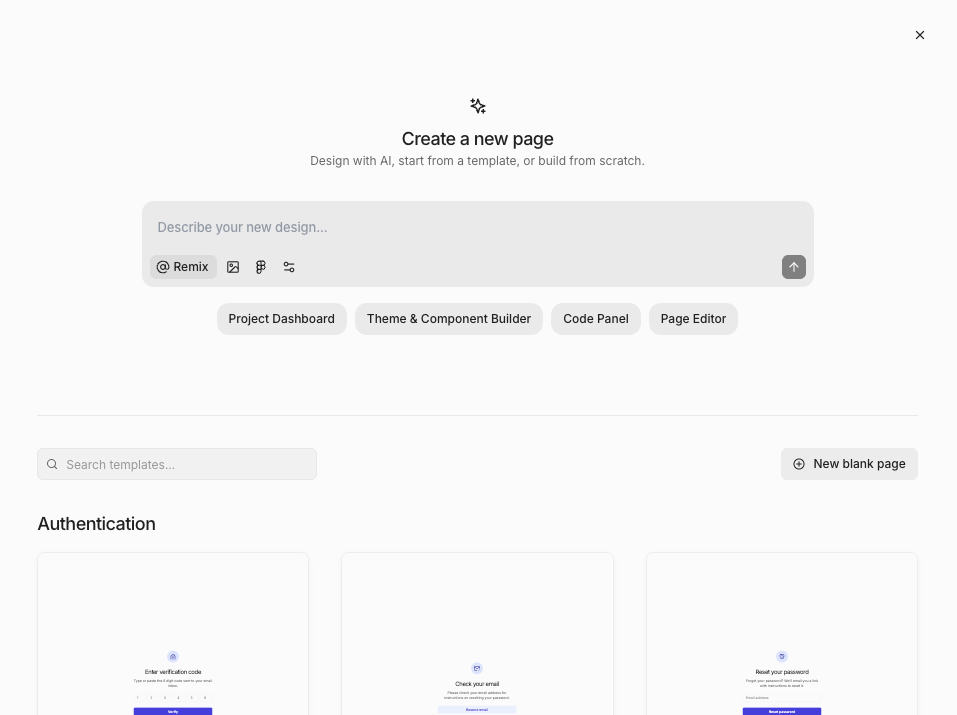 1. In the **Pages** section of the left sidebar, click the **+** button
2. Select **New page** to create a blank page
To generate a page design with AI instead, use [Ask AI](/learn/ask-ai/prompt-to-design).
## Renaming a page
Double-click a page name in the pages sidebar or on the flow editor canvas to rename it. Press Enter to confirm or Esc to cancel.
Page names can contain any characters, including spaces and symbols. When you [export a page](/design/code-mode/overview#inspecting-page-code), Subframe normalizes the name into a valid component name in the generated code.
## Duplicating a page
1. In the **Pages** section of the left sidebar, click the **+** button
2. Select **New page** to create a blank page
To generate a page design with AI instead, use [Ask AI](/learn/ask-ai/prompt-to-design).
## Renaming a page
Double-click a page name in the pages sidebar or on the flow editor canvas to rename it. Press Enter to confirm or Esc to cancel.
Page names can contain any characters, including spaces and symbols. When you [export a page](/design/code-mode/overview#inspecting-page-code), Subframe normalizes the name into a valid component name in the generated code.
## Duplicating a page
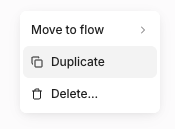 1. Right-click a page or click
2. Select **Duplicate**
## Sorting pages
Use the sort control at the top of the **Pages** view to change how pages are ordered:
* **Group by flow** — Pages organized under their [flows](/learn/flows/flows) (default)
* **Recently edited** — Most recently edited first
* **Recently created** — Most recently created first
* **A-Z** — Alphabetical by name
## FAQ
For page states like loading, empty, and error states, we recommend creating a separate page for each state. You can easily duplicate the page for this. Organize the screens together with a [flow](/learn/flows/flows) and use [annotations](/learn/prototype-mode/annotations) to describe how the screens are connected during handoff.
## Related topics
- [Pages](/design/pages.md)
- [Page layouts](/learn/design-mode/page-layouts.md)
- [MCP server](/agent/mcp-server.md)
1. Right-click a page or click
2. Select **Duplicate**
## Sorting pages
Use the sort control at the top of the **Pages** view to change how pages are ordered:
* **Group by flow** — Pages organized under their [flows](/learn/flows/flows) (default)
* **Recently edited** — Most recently edited first
* **Recently created** — Most recently created first
* **A-Z** — Alphabetical by name
## FAQ
For page states like loading, empty, and error states, we recommend creating a separate page for each state. You can easily duplicate the page for this. Organize the screens together with a [flow](/learn/flows/flows) and use [annotations](/learn/prototype-mode/annotations) to describe how the screens are connected during handoff.
## Related topics
- [Pages](/design/pages.md)
- [Page layouts](/learn/design-mode/page-layouts.md)
- [MCP server](/agent/mcp-server.md)